Sub Foundation
01 / 120 BPM / PLACEHOLDERA clean, rounded sub groove with soft octave accents.
0:00 / 0:08SYNTHESIZED SKETCH
MUCKY BASS ONE / COMING SOON
Synthesis, modulation and processing for bass. Built around Mucky’s workflow, with separate control over the low-end foundation and upper character.
Get release updates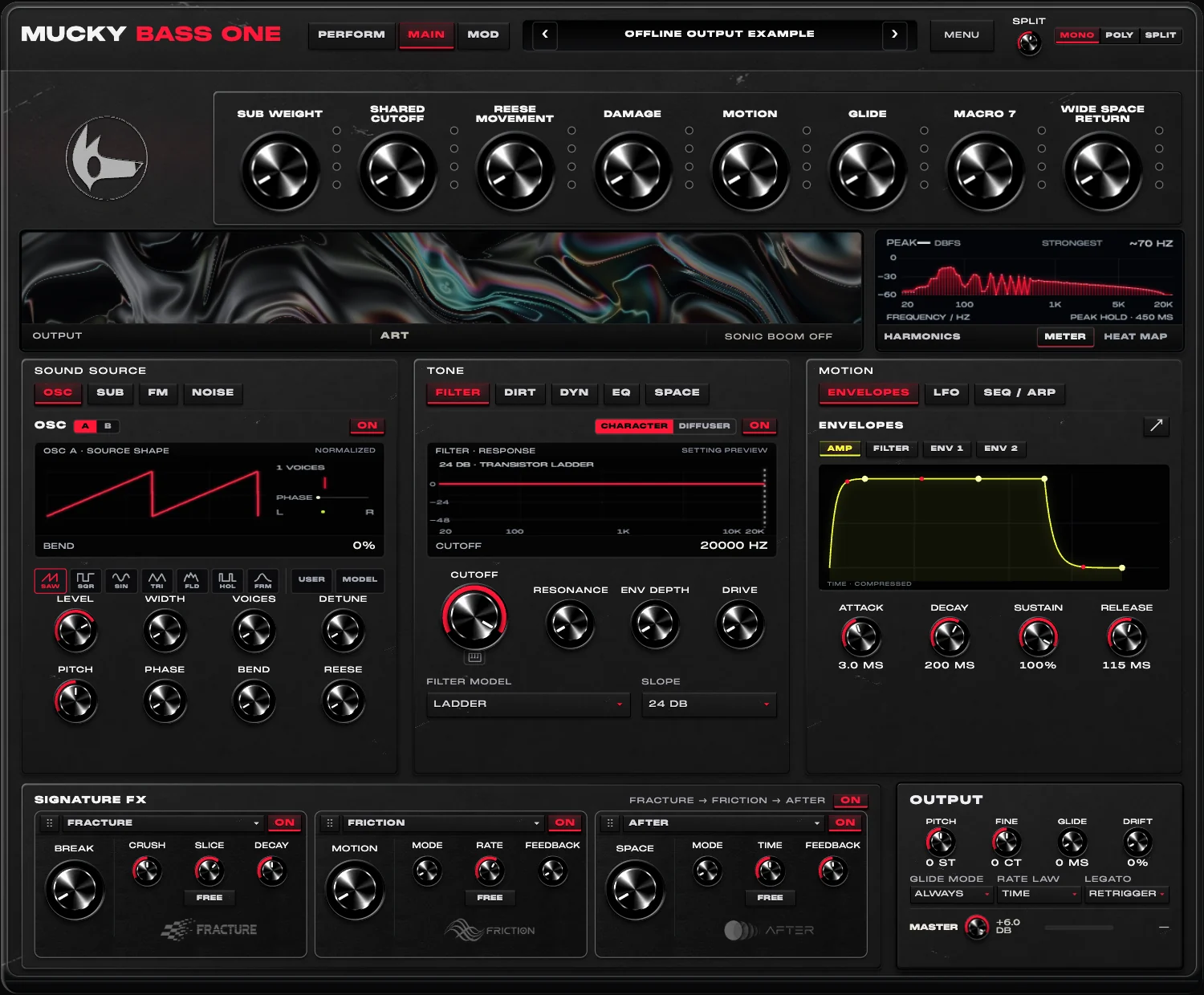
01 / SOUND SOURCES
Balance a dedicated sub with dual oscillators and FM harmonics.
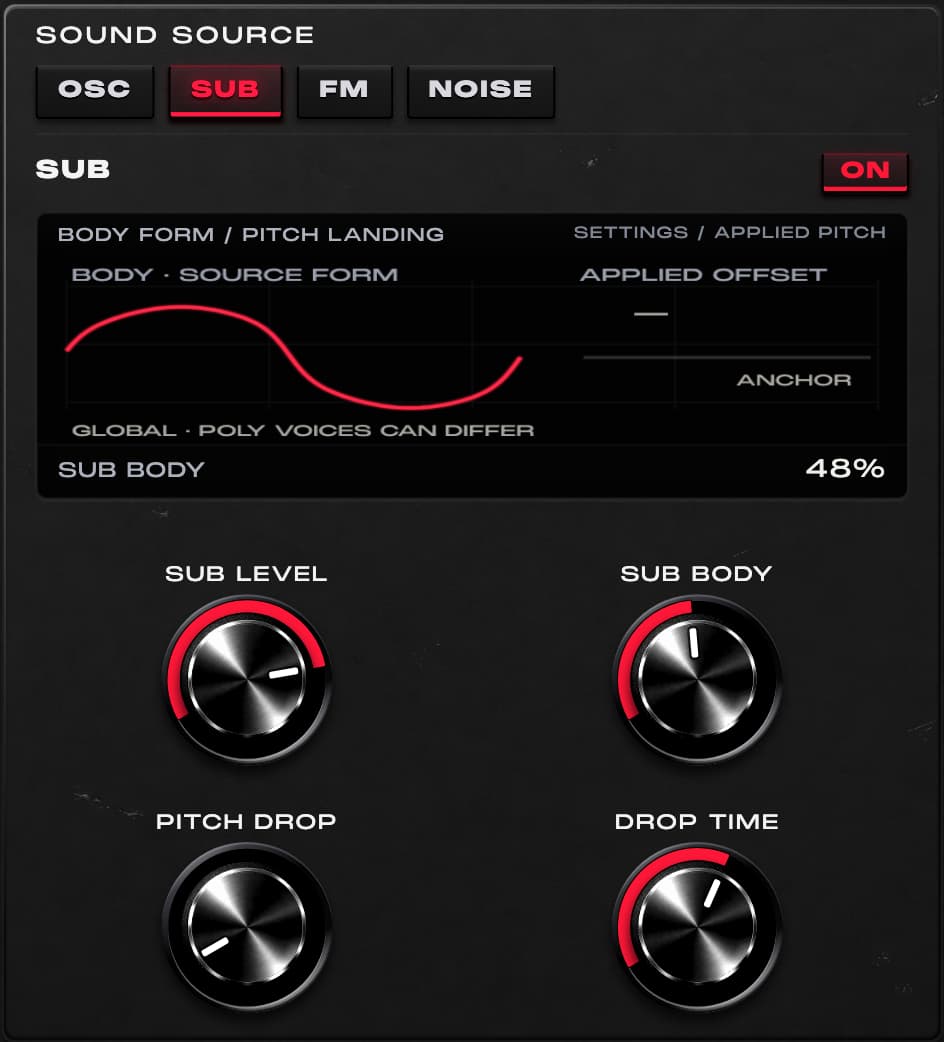
Set the low-end anchor.
Bring out its upper character, with smoothed manual changes.
Shape the opening punch.
SPLIT controls the protected low-band routing. At zero, that protection is removed; the final balance remains patch-dependent.
02 / FILTER / DISTORTION
Adjust brightness, resonance and distortion. Use the diffuser to change phase character.
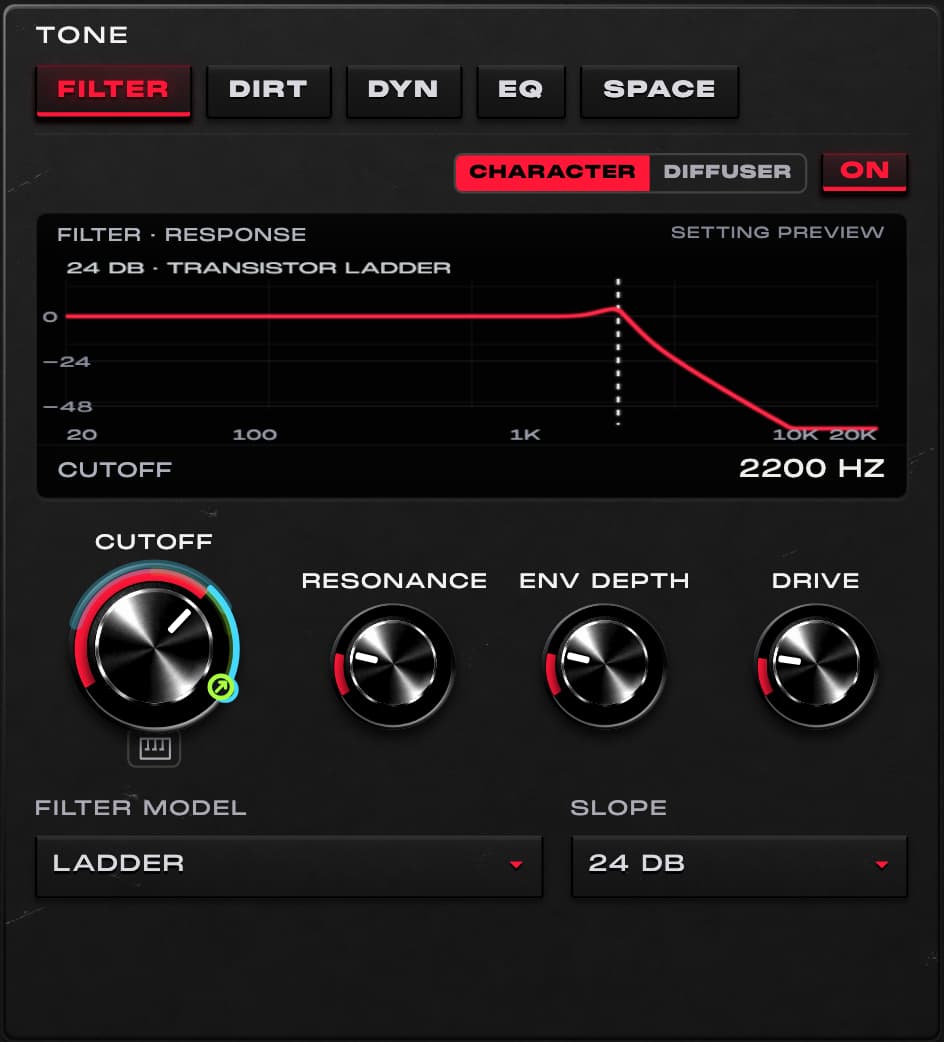
Ladder, Acid Diode or Sallen-Key character.
Place the focus of the tone.
Turn a static filter into a gesture.
03 / MACROS / MODULATION
Assign controls to macros, set their ranges and combine two macros on the X/Y pad.
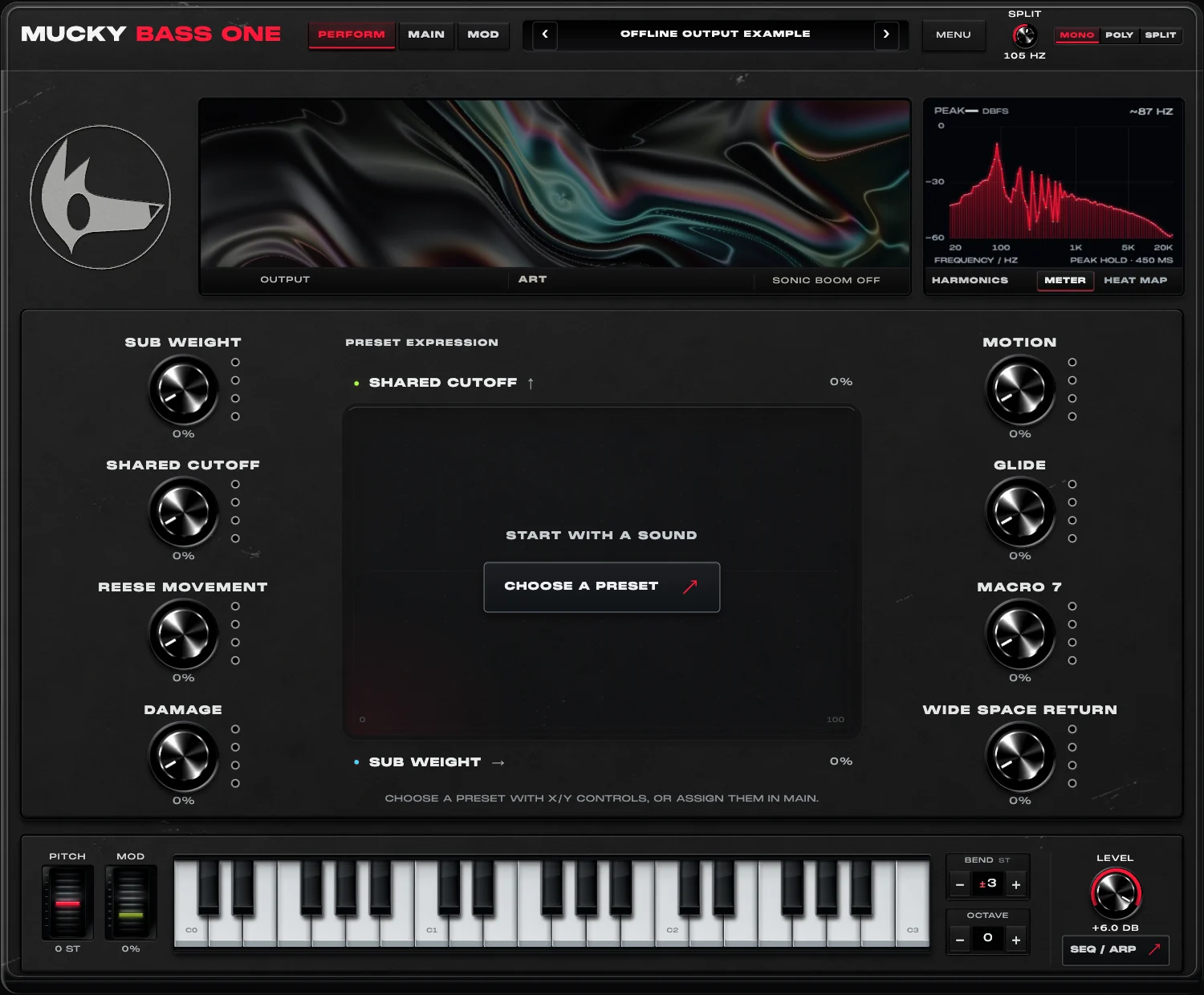
PERFORM preview · silent offline output example
Each of eight macros supports four assignments.
Set the amount and direction without changing the base knob value.
The X/Y pad combines two macros. Envelopes and LFOs add motion through supported routes.
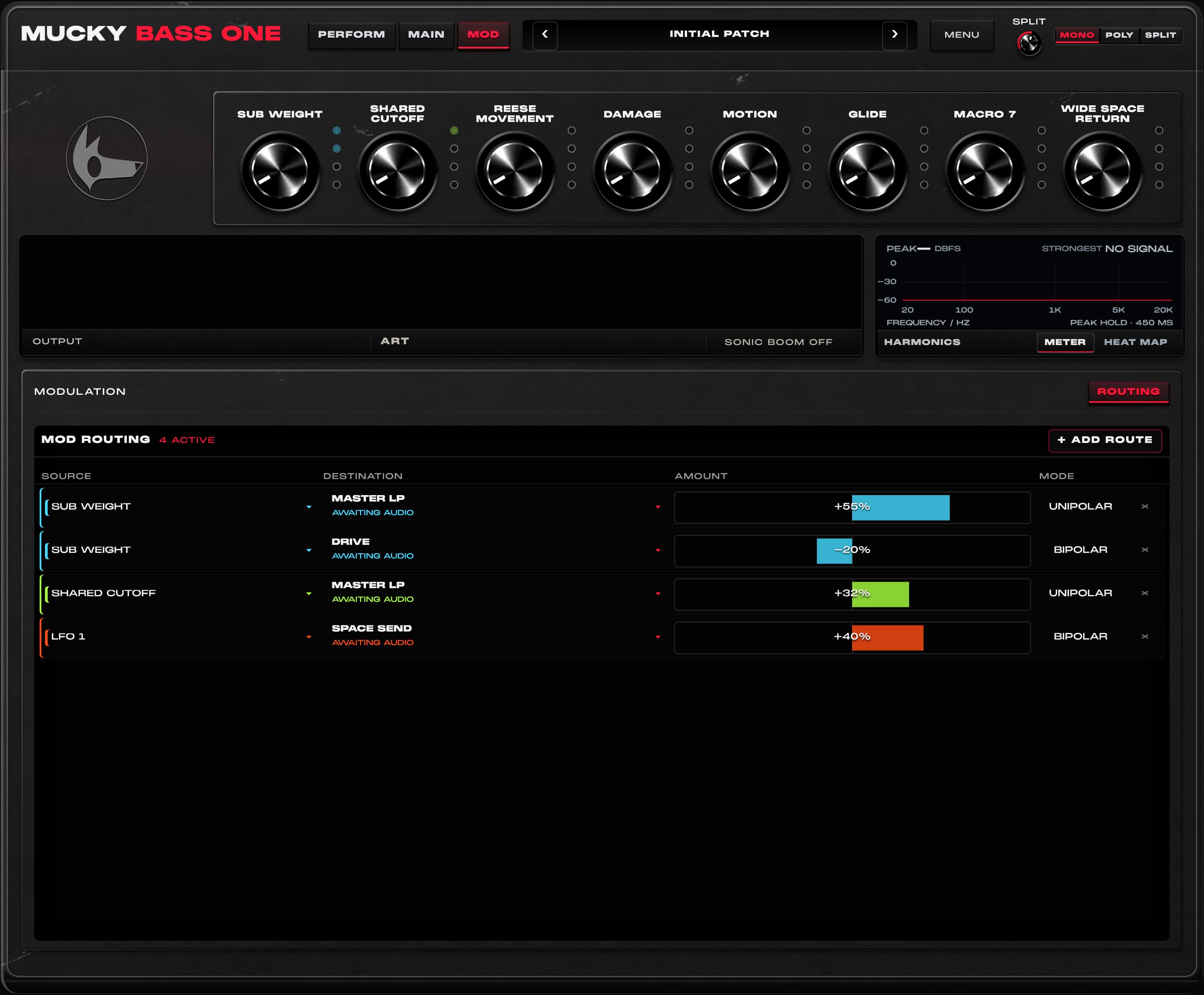
Eight native modulation slots · LFO 1 / 2 · ENV 1 / 2 · Mod wheel
Rotary ADSR controls now sit alongside the AMP, FILTER, FM and modulation envelope graphs. Use their native assignment menus for supported modulation and macro routes, while keeping direct curve editing.
04 / EQ / DYNAMICS
DYN groups the compressor and limiter. SPACE adds short early reflections with Amount, Tone and Width. Pitch and glide now sit in OUTPUT alongside master level.
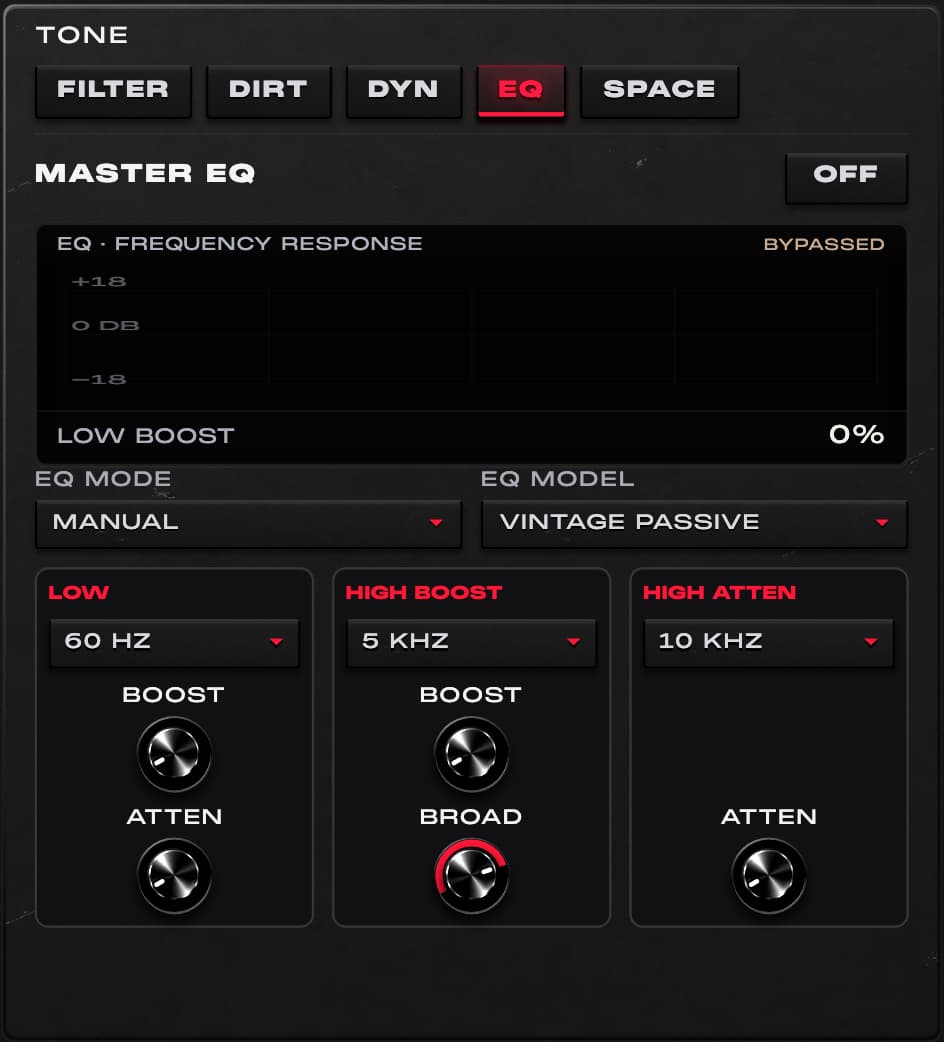
Three original digital EQ voicings.
Balance weight and low-end space.
Shape presence and the upper edge.
OUTPUT / TECH VIEW
Switch OUTPUT from ART to TECH for stereo, waveform and gain-reduction views. These are two views of the same screen.
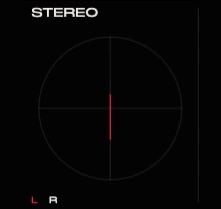
See the relationship between the left and right output.
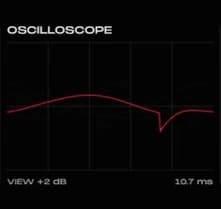
Follow the output waveform over time.
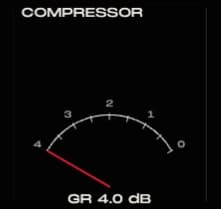
Read 0–4 dB of gain reduction. COMP and LIMITER must be on, with MASTER above 0 dB.
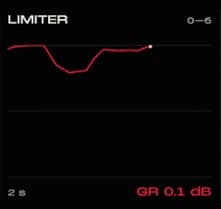
Read current gain reduction and its two-second history. The final limiter controls sample peaks.
Code-rendered preview with measured offline processor output. Example: MASTER +6 dB, COMP on, threshold −18 dB, LIMITER on. No sound plays from these images.
NINE EFFECTS / THREE REORDERABLE SLOTS
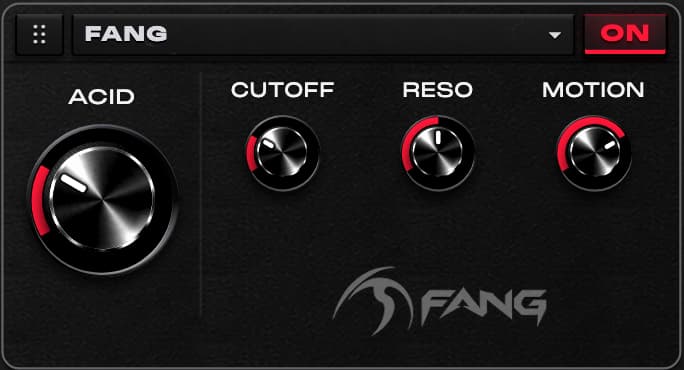
TRY IT
Use FANG for resonant movement that responds to the attack of a note. Start with ACID low, find the useful CUTOFF region, then raise MOTION for a more pronounced gesture.
FANG uses a diode-ladder filter in its character path, with a protected low crossover.
PROCESSING ORDER
Simplified finishing path. DIRT can sit before or after the filter. Early SPACE takes a high-passed send before the Signature rack and returns before final peak control. Legacy patches retain their original post-rack room send until switched; Signature FX uses a high-passed character tap.
01 / INSIDE BASS ONE
A dedicated sub, two oscillators, an FM layer and noise can be balanced separately. A strong patch does not need every layer switched on.
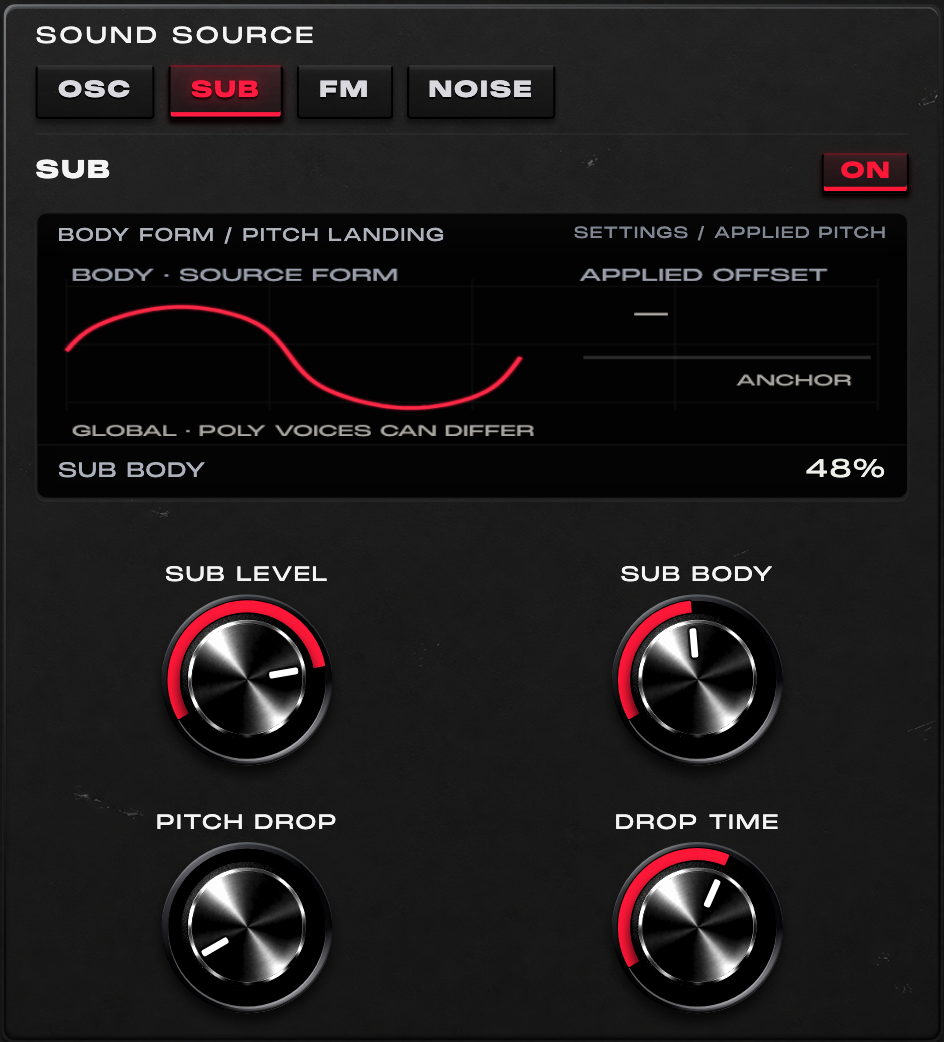
For a short bass hit, start with the oscillators and noise down. Set the amp envelope to a short decay, then add a small pitch drop and adjust BODY.
Protection is a routing choice, not a promise of identical loudness or a finished mix at every setting.
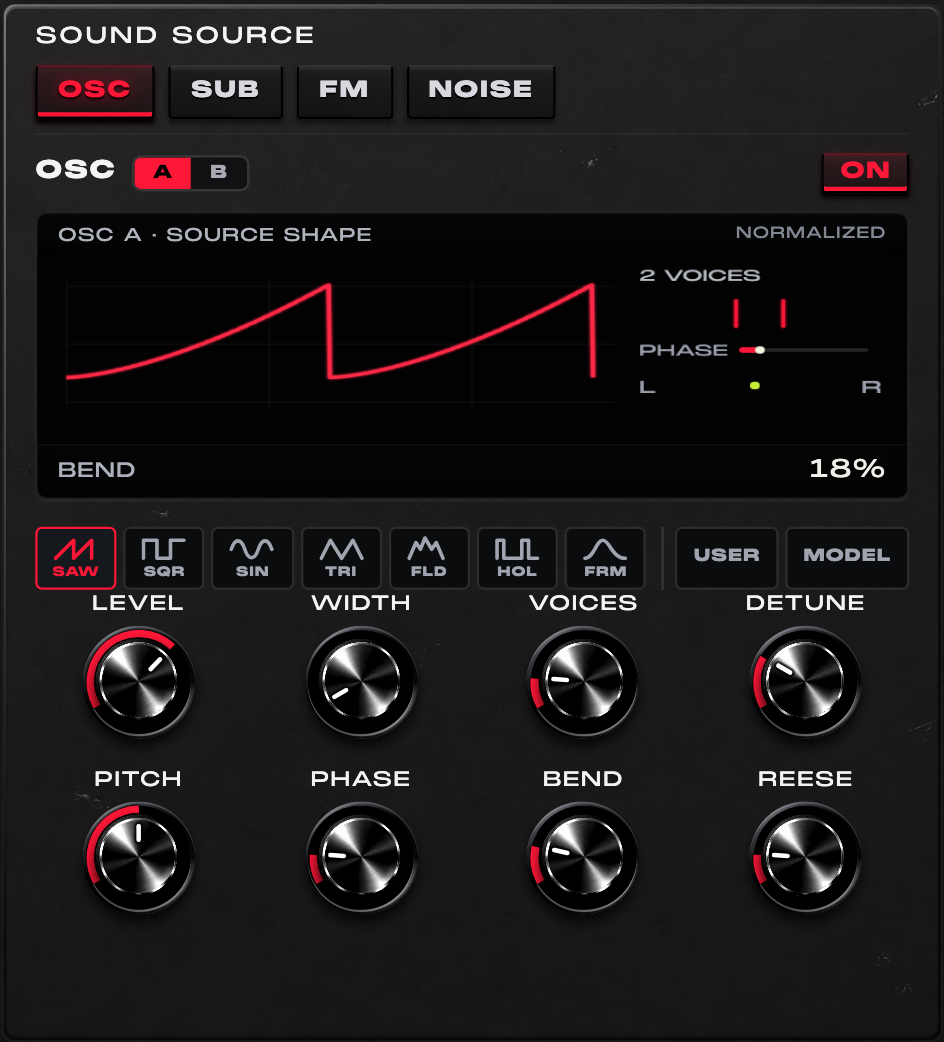
For a Reese, leave the sub focused, choose SAW on A, add a few unison voices and a little detune. Introduce B at a lower level, then assign REESE and filter cutoff to a macro.
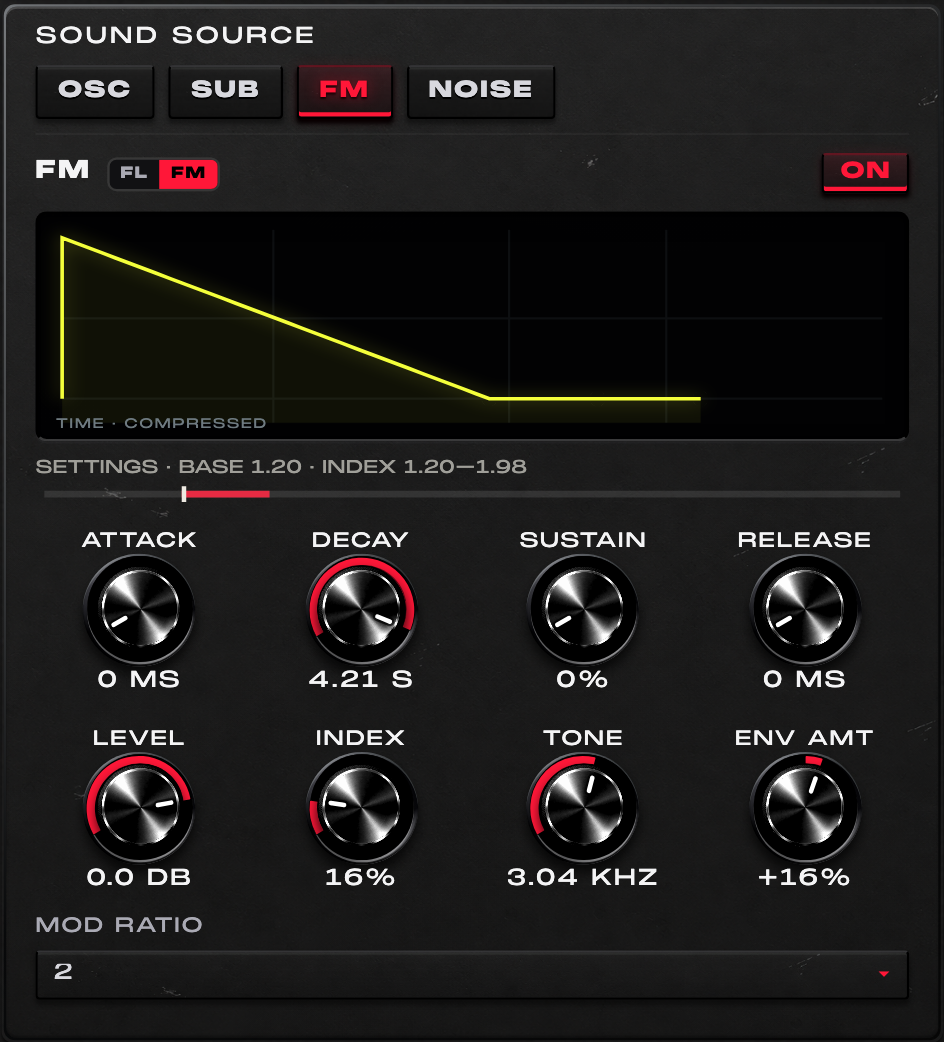
For a bell-like bass attack, start with a low FM level and index. Try ratio 2 or 3 and a short decay; bring the index up until the transient reads clearly, then trim HIGH CUT.
FL and FM retain separate settings. FM exposes its own ADSR; the former contour selector and advanced panel are not part of this interface.
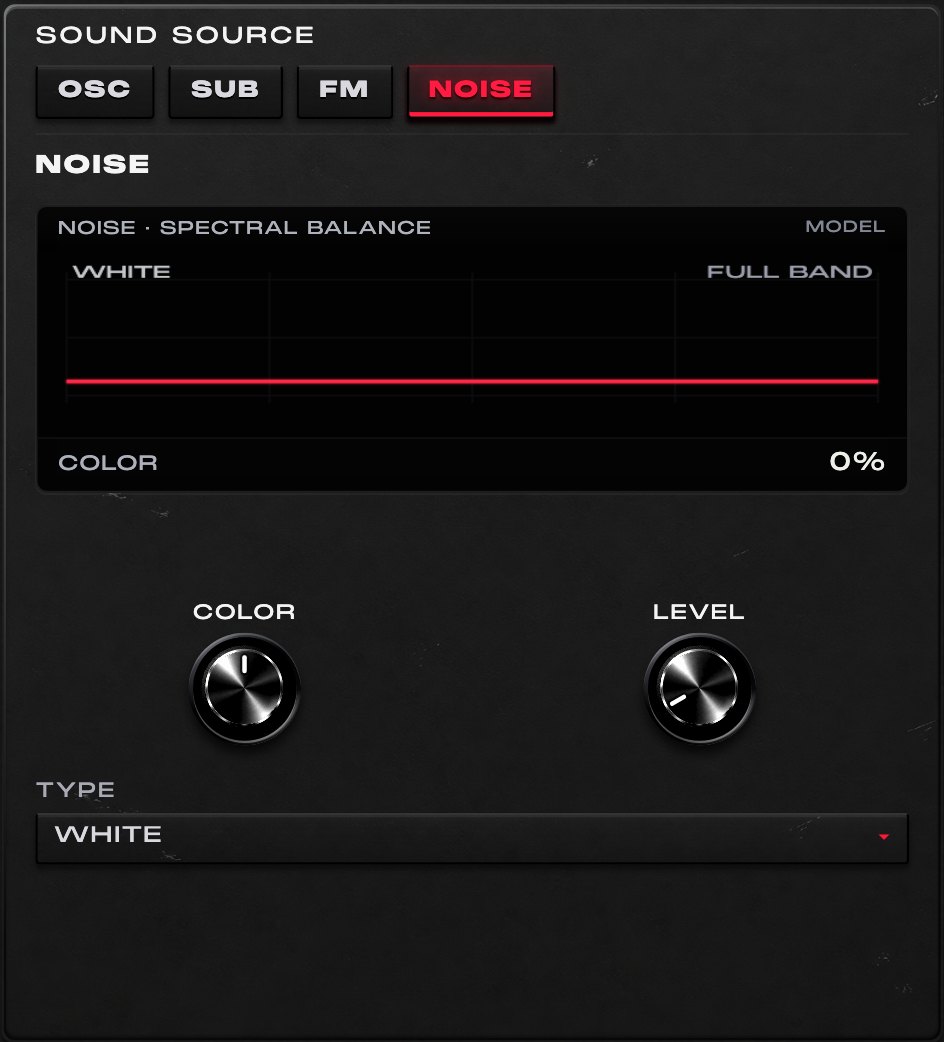
Add a little Pink noise to a short bass note, then lower COLOR until the texture supports the attack without masking the pitched layers.
02 / INSIDE BASS ONE
The filter, distortion, pitch behaviour and EQ are separate decisions. Small changes can be paired into one musical gesture later.
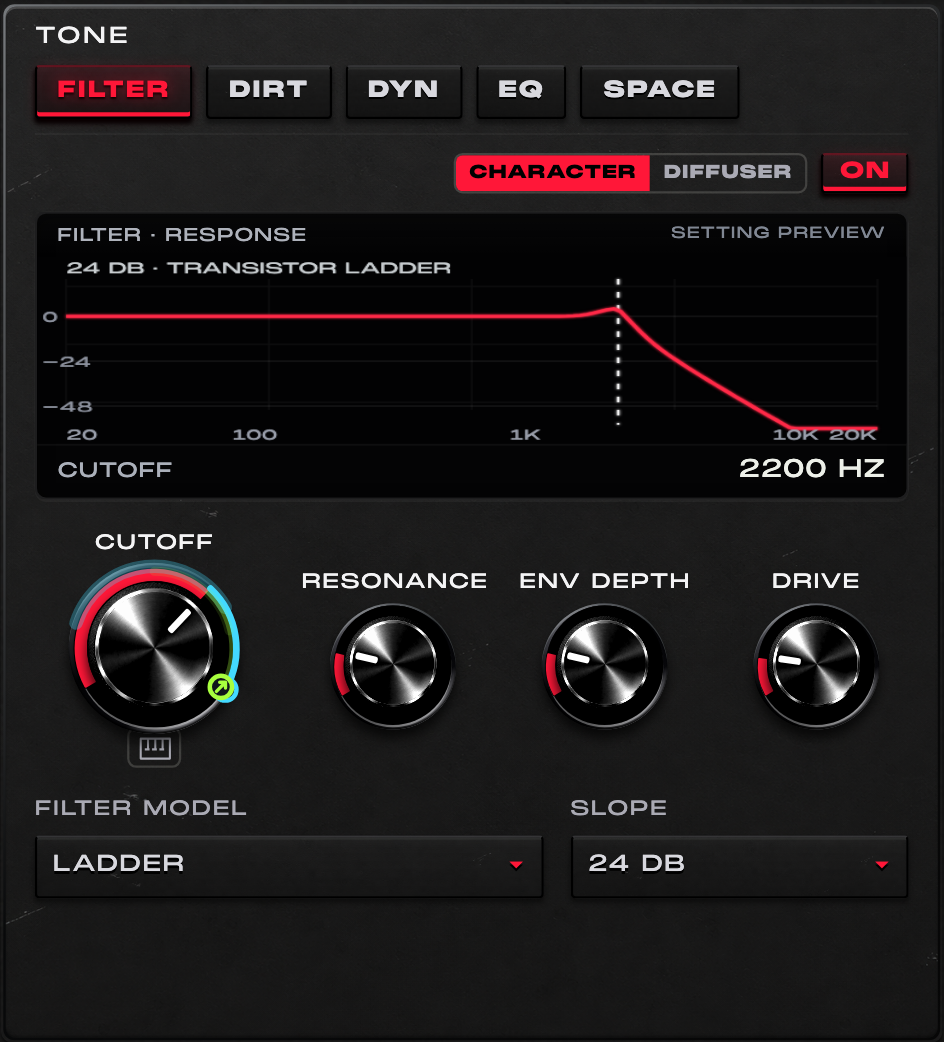
For a pluck, start with cutoff partly closed and moderate resonance. Raise ENV DEPTH and shorten the FILTER decay so the attack opens while the body stays darker.
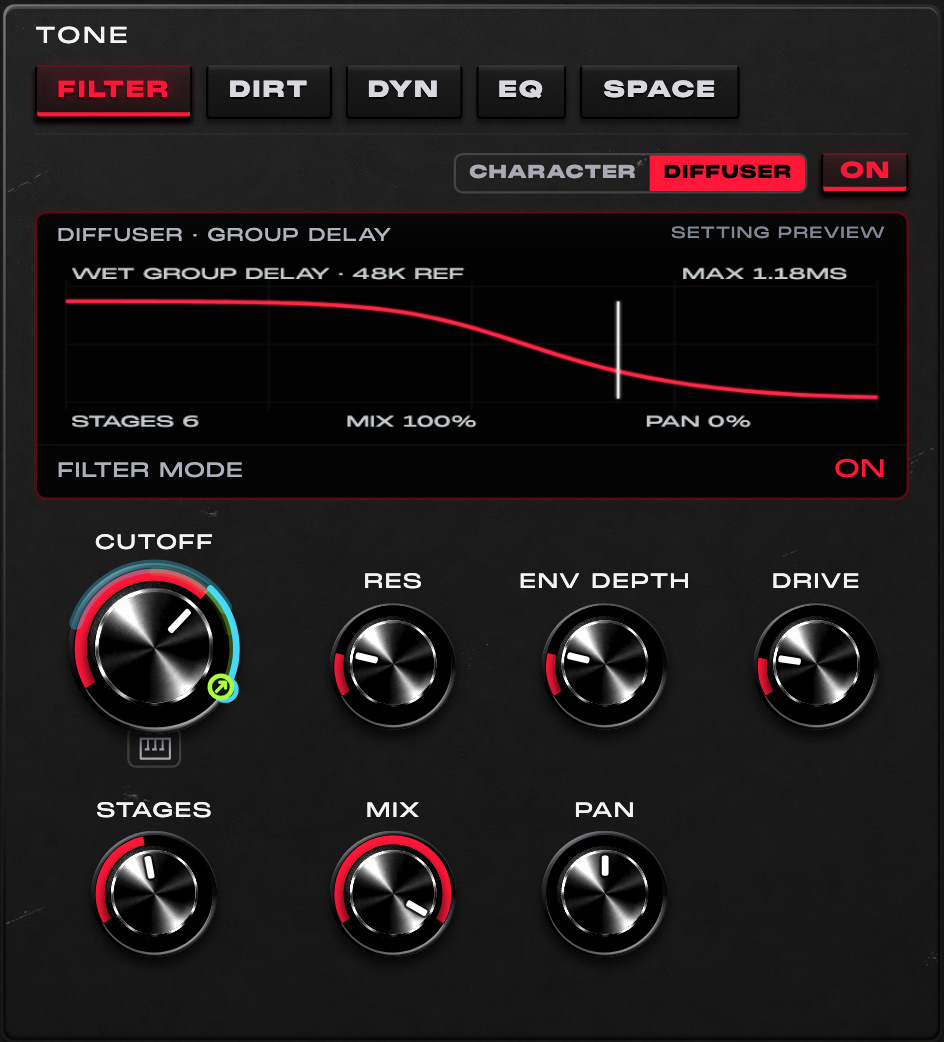
Start with a low MIX and move CUTOFF slowly. Increase STAGES only as much as the phrase needs, then compare the result in mono.
This is not another 12/24 dB low-pass model; its all-pass phase behaviour is different.
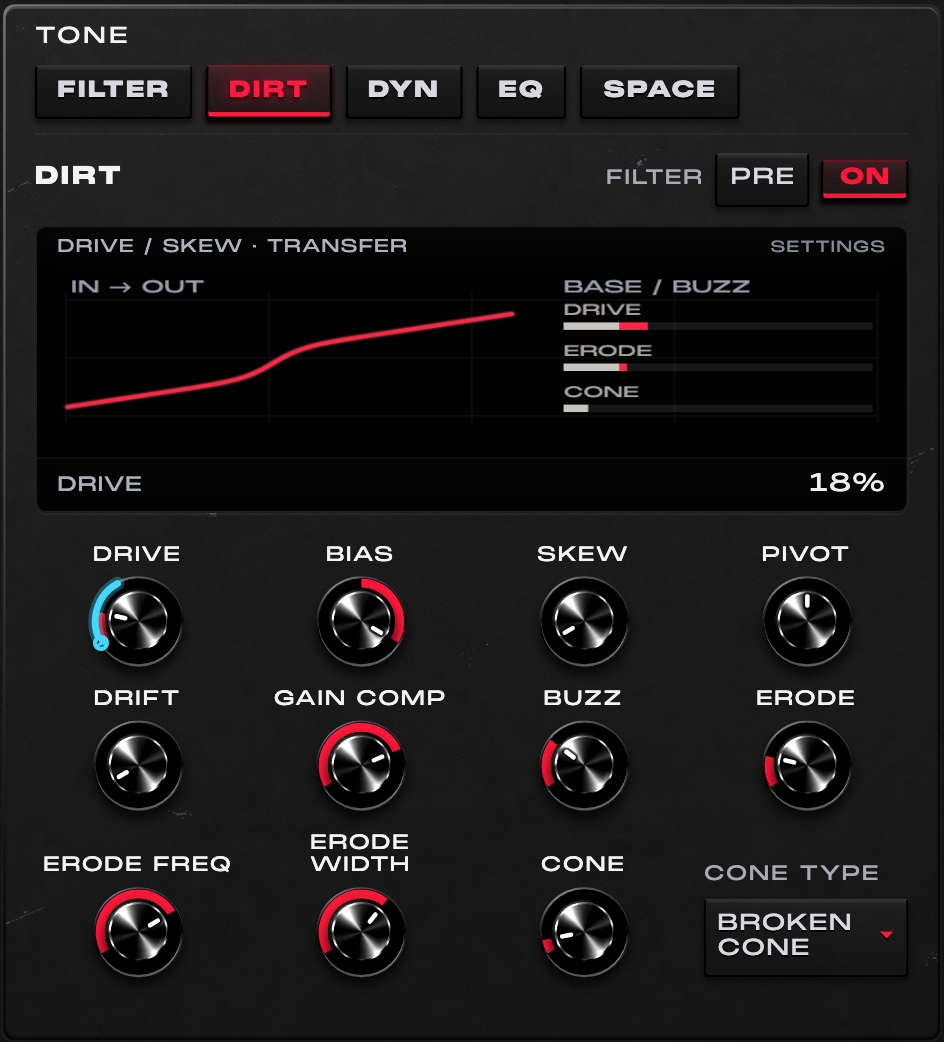
For a growl, start with moderate DRIVE, add BIAS and only a small amount of BUZZ. Compare filter PRE and POST, then compensate level before deciding which is better.
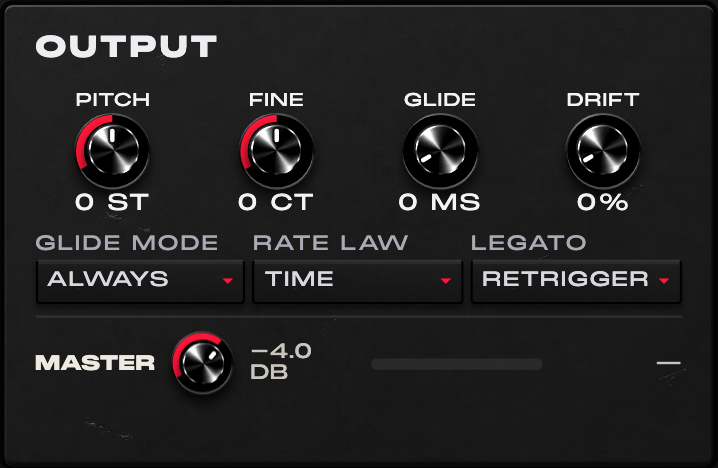
For an 808 phrase, choose MONO and Legato glide. Overlap only the notes that should slide, then adjust GLIDE TIME to the rhythm.
These controls have moved within the interface; saved pitch and glide parameters retain their identities.
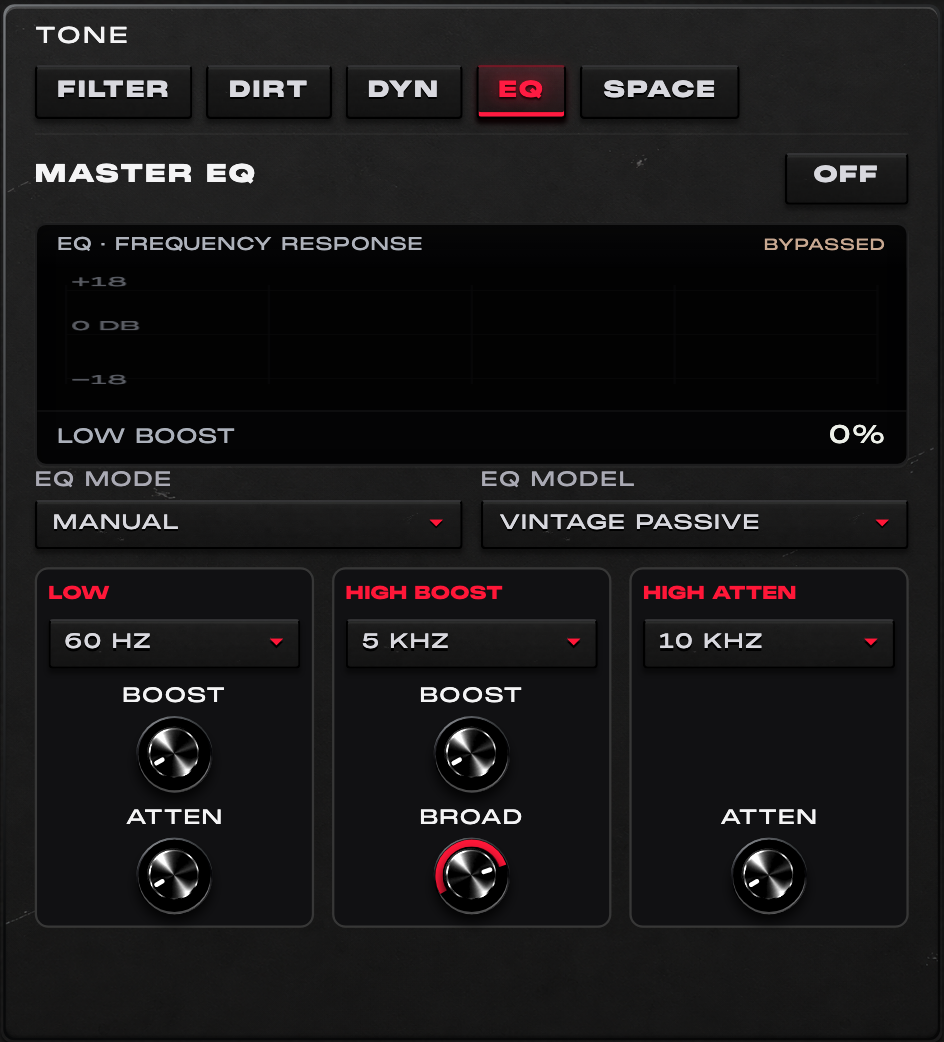
For a bass that needs more definition, try a small high boost with a broad setting before raising oscillator level. Revisit low boost/attenuation against the kick.
These are original digital character processors. Specific hardware models, endorsements and circuit-exact emulation are not claimed.
03 / INSIDE BASS ONE
Create the sound first, then decide which movements should stay close to the hands. Assignment amounts, polarity and base values remain distinct decisions.
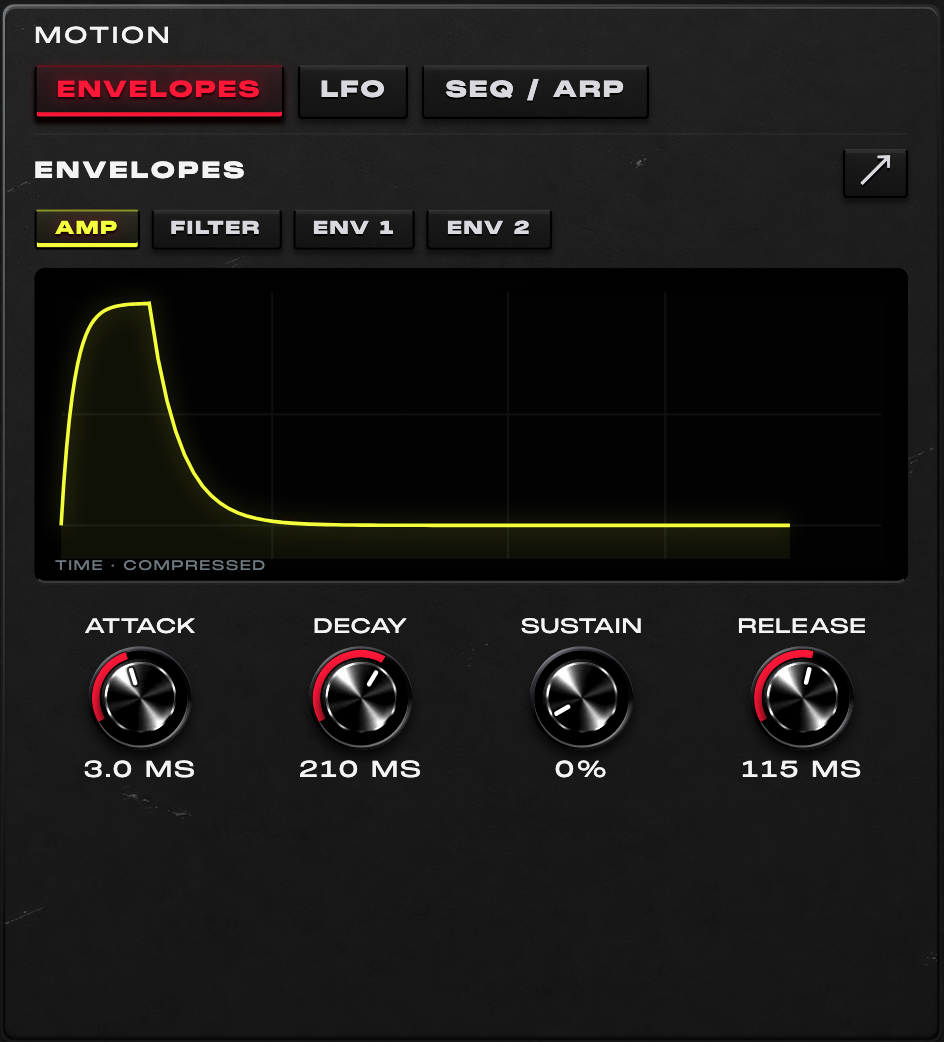
Keep the AMP envelope long enough for the phrase, but make the FILTER envelope shorter. The note can sustain while its initial brightness settles.
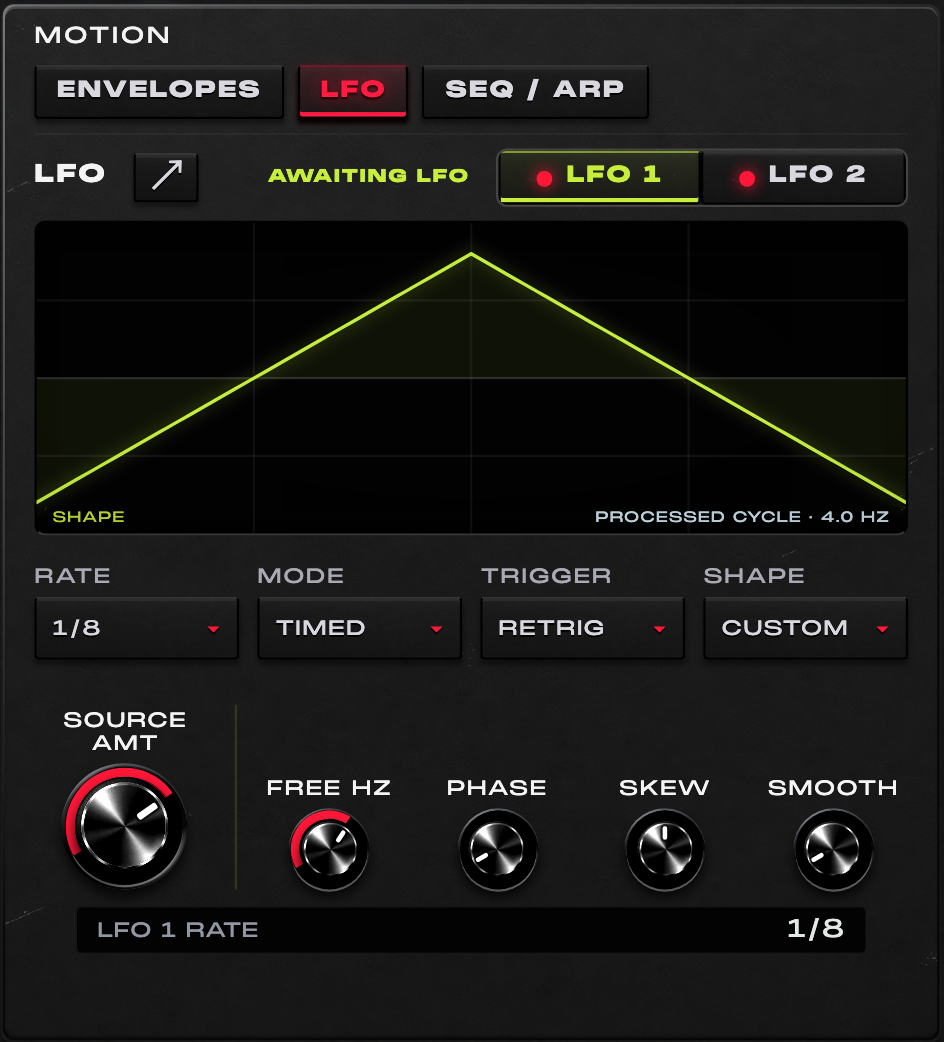
For a rhythmic wobble, set a tempo-related rate, choose Retrig and route LFO 1 to Master LP. Start with a small amount, then redraw the curve to make the opening less symmetrical.
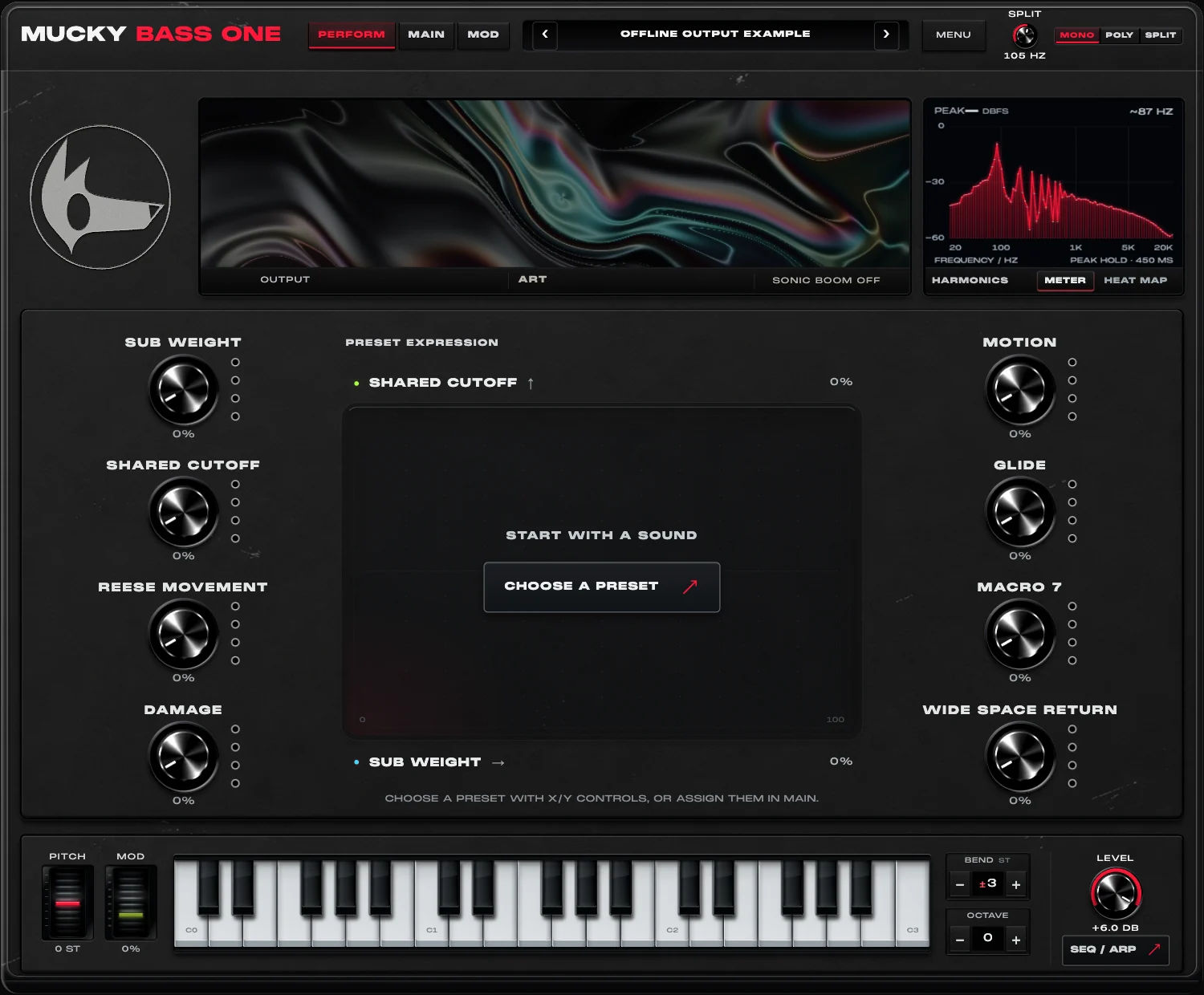
Create a BRIGHTER gesture that raises filter cutoff while reducing a little drive. Start with small opposing amounts and check both ends of the macro.
Mapping applies to the destinations exposed by this build. It is not a promise that every menu, special-state editor or decorative control is a modulation target.
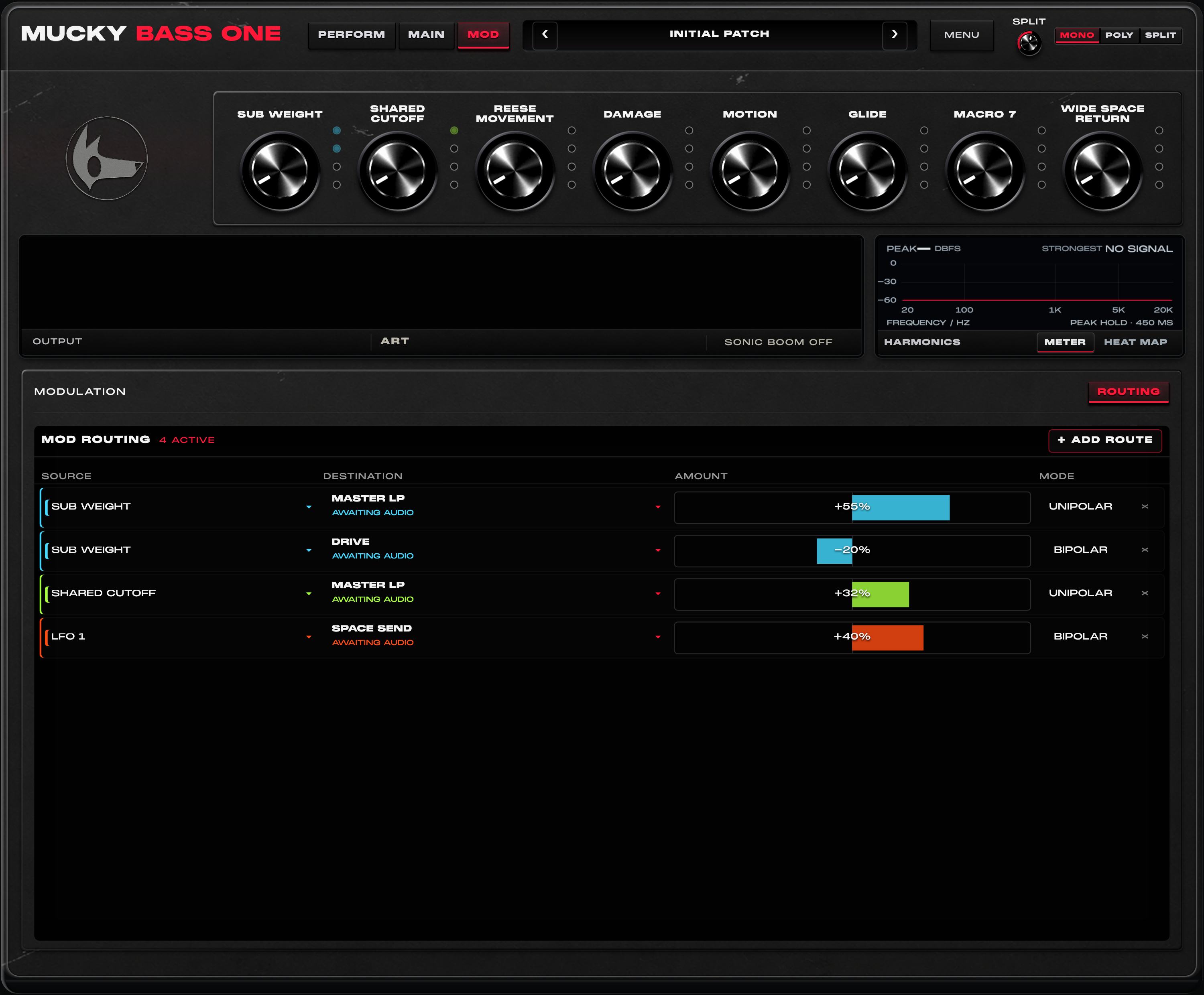
Route ENV 1 to a tone parameter for a short accent, then use LFO 2 at a much smaller amount for slower movement. Inspect both routes before adding another.
Put brightness on X and harmonic motion on Y. Record a restrained pad movement, then refine the same gesture with automation.
Computer-keyboard handling remains host-sensitive. In plug-in use, the DAW’s normal keyboard and transport behaviour remains separate from preset text entry.
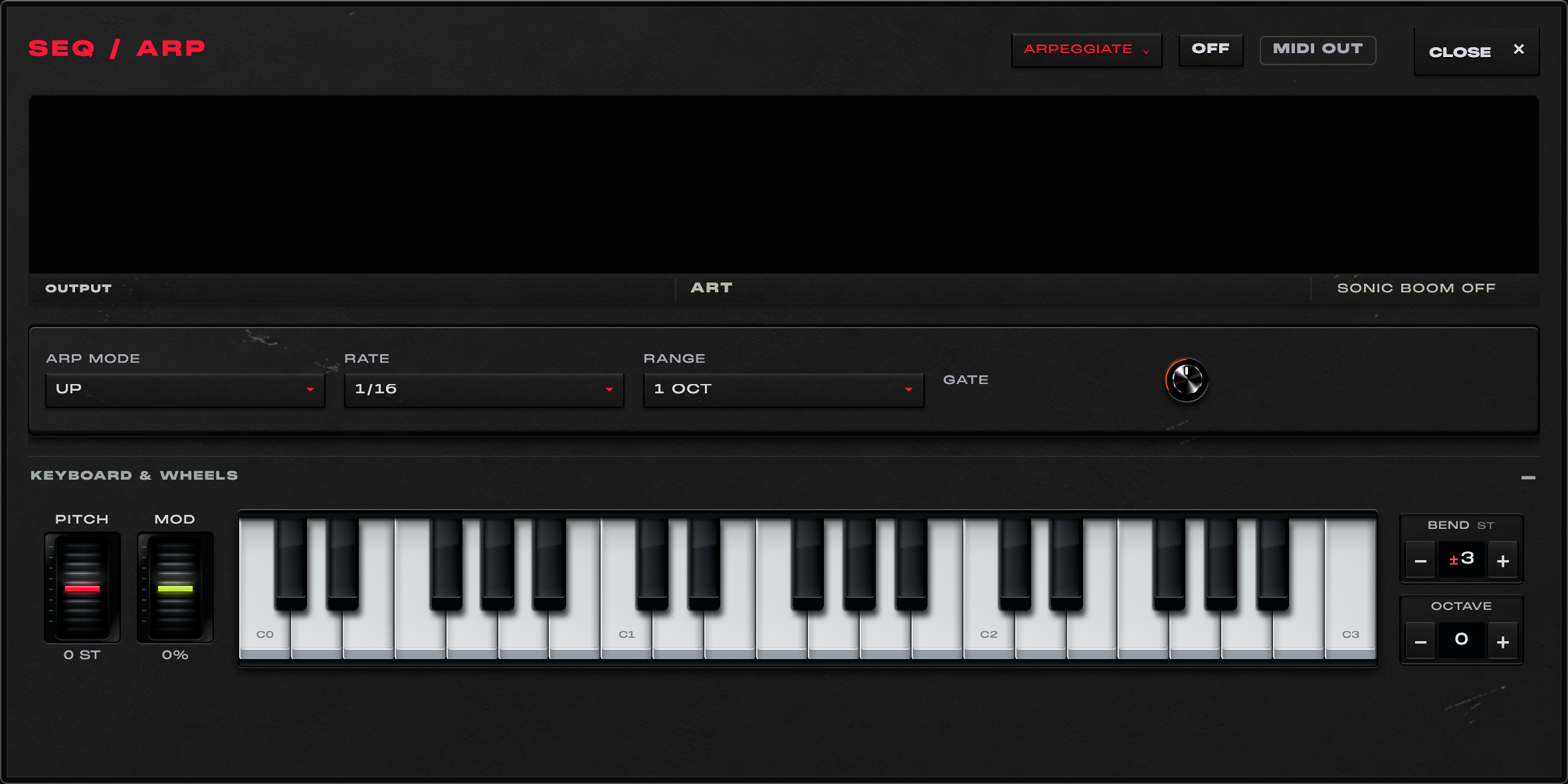
Generate a sparse phrase, keep the useful notes and reduce density before adding slides. Use the piano roll to turn a generated start into a deliberate bassline.
MIDI routing is host-dependent; this page does not promise that every DAW exposes plug-in MIDI output in the same way.
04 / INSIDE BASS ONE
Choose three effects, reorder the rack and bypass individual slots to compare. Each effect has a large performance macro and three detailed controls. Each effect can occupy one slot at a time.
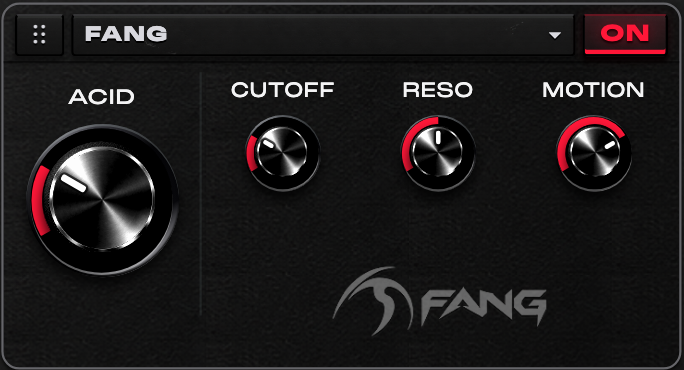
Use FANG for resonant movement that responds to the attack of a note. Start with ACID low, find the useful CUTOFF region, then raise MOTION for a more pronounced gesture.
FANG uses a diode-ladder filter in its character path, with a protected low crossover.
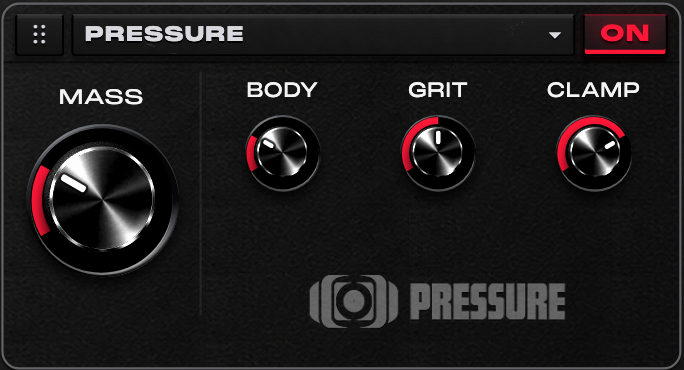
Bring up MASS for a heavier bassline, tune BODY against the kick, then add GRIT. Use CLAMP to contain the generated low layer.
The low-octave layer depends on confident note tracking; CLAMP treats the generated layer.
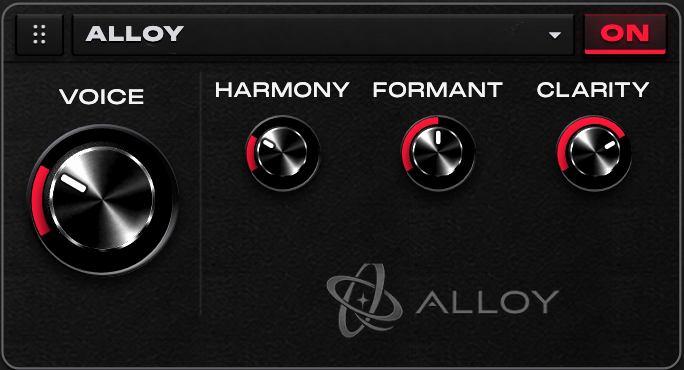
Choose a HARMONY for the phrase, adjust FORMANT for its spectral colour, then use CLARITY and VOICE to place the added layer in the mix.
ALLOY synthesizes a harmonic layer around the bassline.
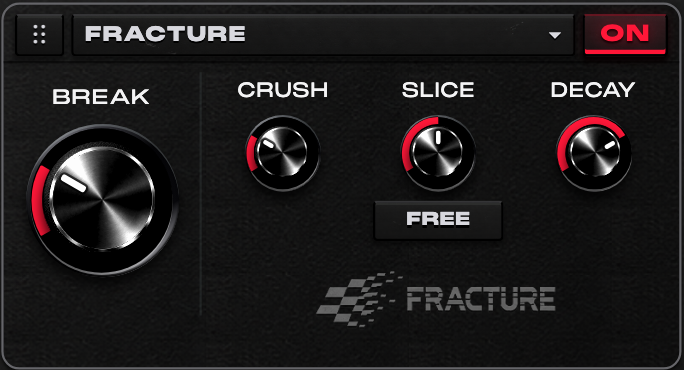
Keep BREAK modest for texture, or push it for a stuttering accent. CRUSH adds digital roughness; SLICE and DECAY set the repeating fragment and how it falls away.
SLICE offers free timing and the supported sync divisions.
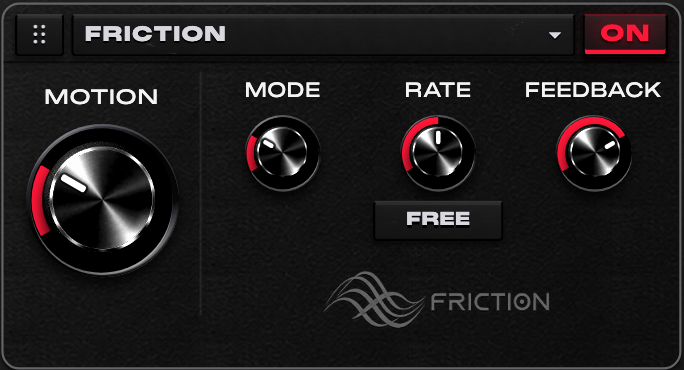
Start with CHORUS for subtle width. Choose FLANGE or PHASE for more resonant sweeps, then balance RATE and FEEDBACK before raising the main MOTION amount.
MODE selects CHORUS, FLANGE or PHASE.
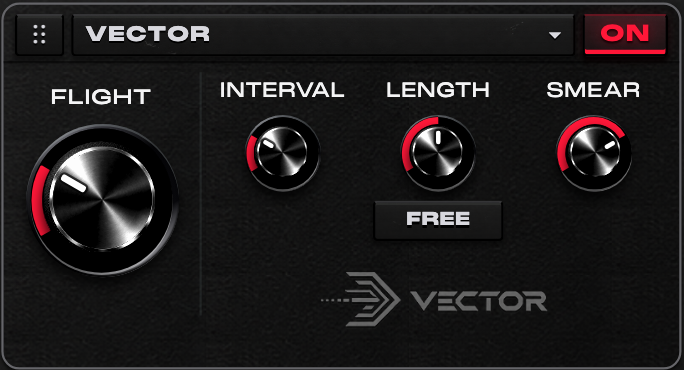
Use VECTOR for an answering phrase or a turnaround. Set INTERVAL, choose LENGTH, then soften the captured phrase with SMEAR and blend it using FLIGHT.
Captured signal history supplies the reverse phrases; allow the played part to fill that history.
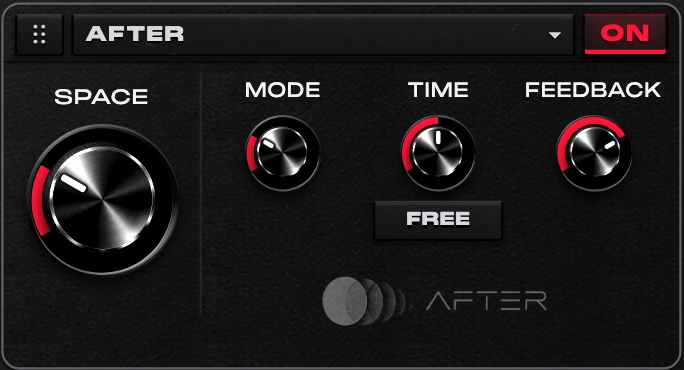
Choose SLAP for a short answer, TAPE for repeats, EARLY for reflections or CLOUD for a more diffuse tail. Set TIME and FEEDBACK, then blend with SPACE.
AFTER’s EARLY mode is part of the Signature rack. The dedicated SPACE tab has its own separate early-reflection engine.
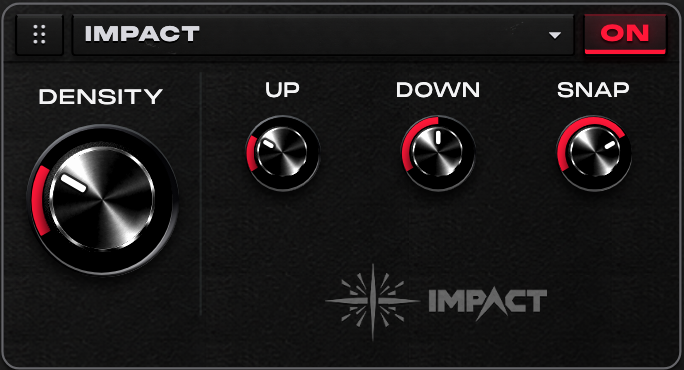
Use DENSITY to blend a stronger parallel treatment. UP brings out sustain, DOWN controls the louder material and SNAP changes how the attack reads.
IMPACT is a coloured parallel treatment for the bass part.
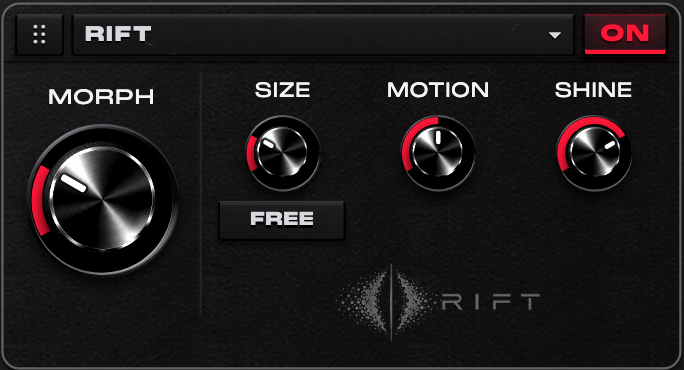
Use a restrained MORPH amount for moving texture, or push it for a transition. Explore SIZE first, add MOTION and finish with SHINE to place the top end.
Note attacks feed the captured, frozen and granular material.
05 / INSIDE BASS ONE
The mix chain is part of Mucky’s way of building a sound. It supports experimentation while leaving the final balance to the track.
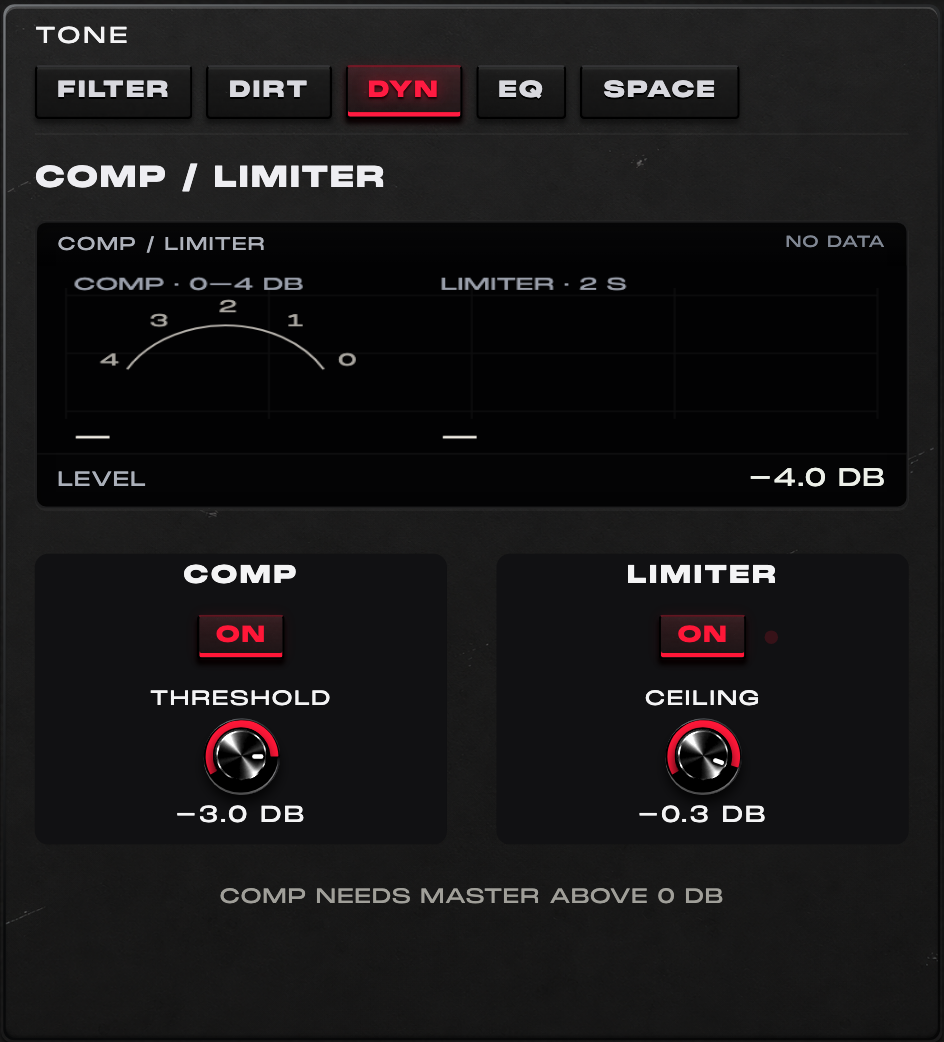
Compare compression on and off at a similar perceived level, then choose the limiter ceiling deliberately.
The compressor engages with COMP and LIMITER enabled and MASTER above 0 dB. Its fixed 4:1 policy allows up to 4 dB of reduction. The final limiter controls sample peaks.
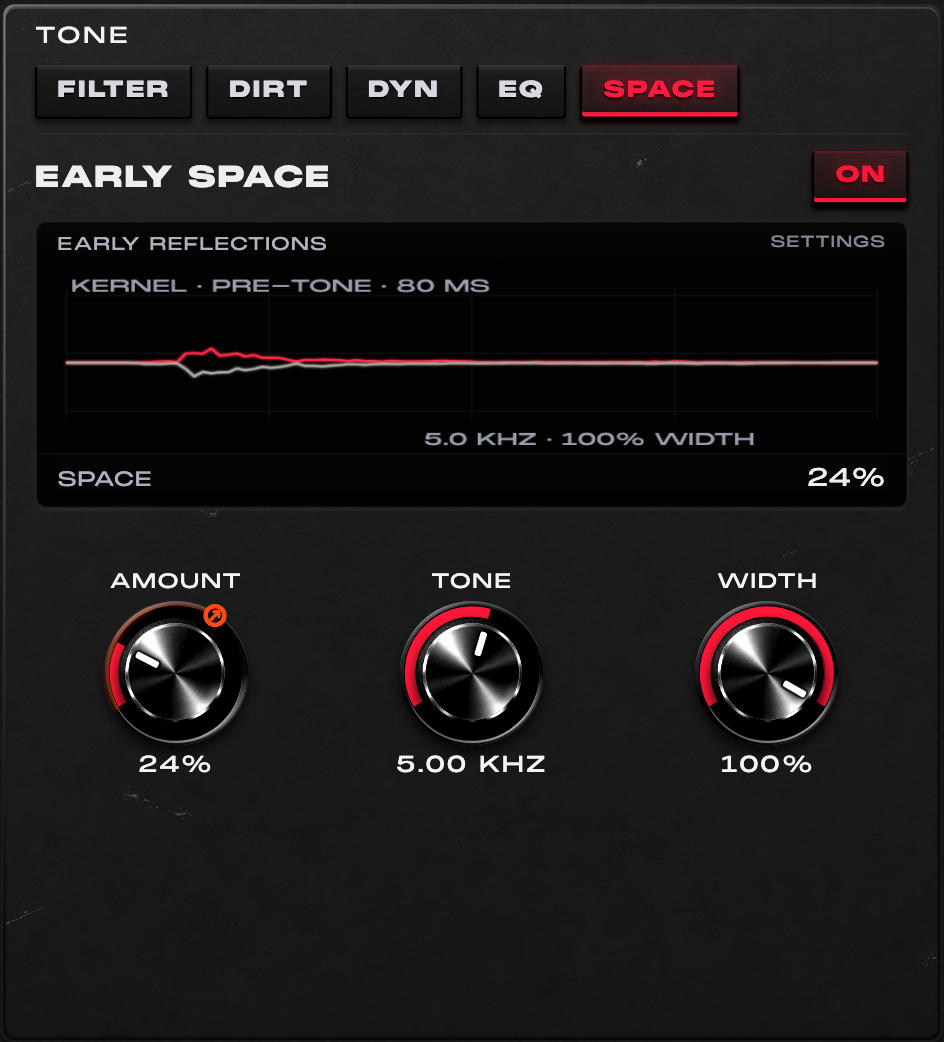
Start with a small Amount, shape Tone, then adjust Width while checking the low-end balance in context.
This is short spatial placement. AFTER remains a separate Signature FX with its own echo and space modes.
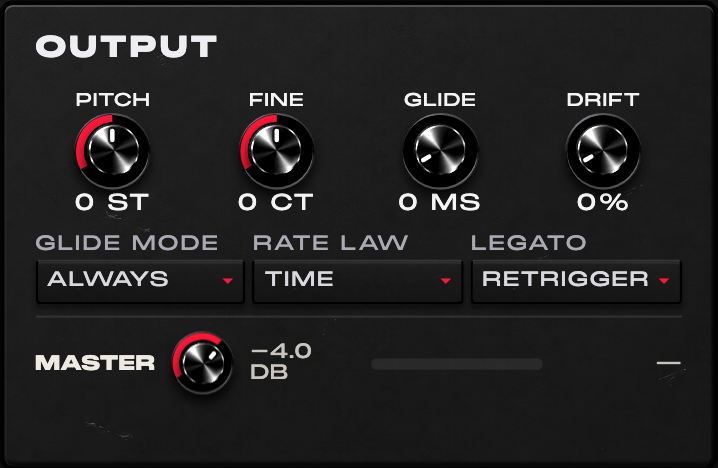
Set pitch and glide in OUTPUT, then rebalance MASTER after processing. Check compression in DYN and ambience in SPACE rather than looking for those controls in OUTPUT.
Sub protection, compensation and limiting are tools, not an automatic guarantee of stable perceived loudness, clipping-free output with protection disabled, or a finished mix.

Save a neutral version first, then save a second variation with more movement. Give the macros musical names before exporting a pack.
The final release bank is being prepared. Its contents are confirmed with the supplied installer; no fixed final preset count or future pack entitlement is promised.
SOUND FROM THE INSTRUMENT
Recordings from the verified Bass One build are being prepared. They will be added here when available.
These synthesized placeholders illustrate musical directions and the audio player. They do not demonstrate the native Bass One engine.
Placeholder audio. These four original synthesized sketches preview the musical directions. They are not recordings from Bass One. Start with your volume low.
A clean, rounded sub groove with soft octave accents.
A wide, detuned bass riff over a steady mono low end.
A hollow FM pluck with a bouncing, syncopated groove.
A resonant sixteenth-note sequence with accents and short slides.
WHY BASS ONE
Mucky’s bass workflow has developed through twenty years of producing: a dependable foundation, the right harmonics for the emotion of a part, and a familiar chain for shaping the result. Bass One brings those decisions into one instrument, from the source to the final dynamics.
The design goal is freedom to experiment with character and movement while keeping the low-end anchor easy to control. The protected split, independent layers, compensation and output tools support that goal; a finished balance still depends on the patch and the track.
The filter, EQ, FM, waveform and distortion choices reflect Mucky’s studio preferences. Their digital implementations use original character models rather than claiming a circuit-exact copy of a named hardware unit.
Knowledge is energy that is meant to be shared.
Mucky intends to keep developing the instrument as his own production methods evolve, share sounds from future sessions in separate preset packs and develop other tools in the same spirit. These are plans, not a release schedule, a promise of included packs or a guarantee of future updates.
The music behind the toolsCOMING SOON / EMAIL UPDATES
Bass One news and Signature Mucky Drums through the existing email list. Signup is separate from buying or downloading the instrument.
BASS · DRUMS · IDEAS
02 / THE DRUMS
One-shots from ten years of Mucky’s productions. Kicks and hits to sit next to the bass.
See the drums03 / THE IDEAS
A small studio book and card deck. Something to open when a session needs a different way in.
See Sonic BoomNew licences allow the named buyer to register up to two computers at a time. Activation and buyer-approved replacement require an internet connection. A replaced computer that remains offline can still use its previously issued file. Earlier purchases keep the terms supplied with their order.
After payment, approve each computer and import its signed, machine-bound .mb1license file in Bass One. Once activated, playback works offline indefinitely with no periodic renewal or mandatory internet checks. Keep your signed licence file and support serial private, and keep a backup for future installations.
Licence termsCheck your Mac and format, then follow the guide supplied with your exact build.
Installation guideThe release bank is being prepared. Use the bank supplied with the exact installer and import separately supplied packs when received.
Preset guide